How Owlisdom Handles Your Order
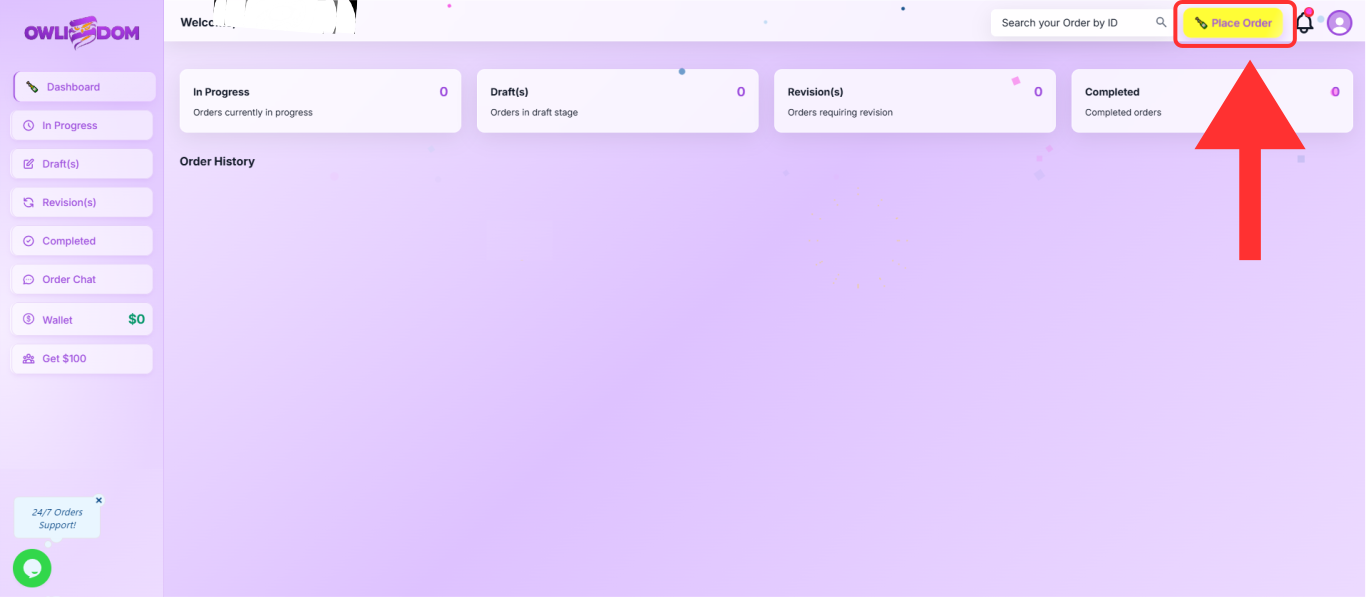
A quick look at how your order moves from sign-up to submission. Your journey begins on the dashboard, where everything comes together. Place new orders, track progress, and view every update in one simple space.
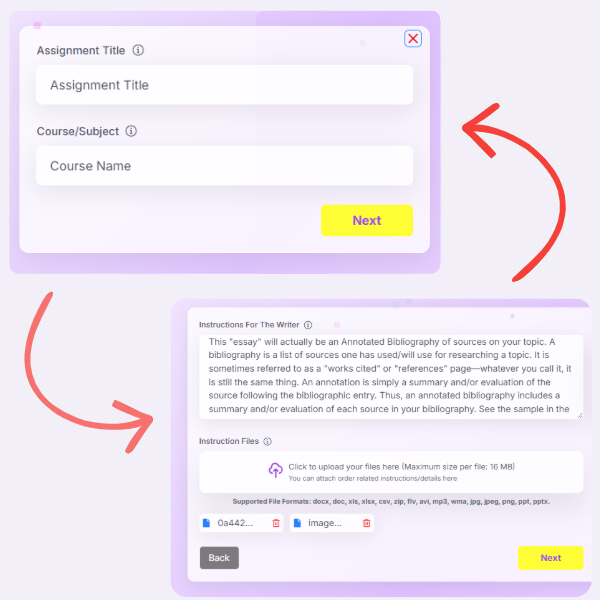
Title, Course & Instructions
Add your assignment title, course name, and any instructions the writer needs to follow.
If you have a rubric or any other file from your professor, attach it here. This helps the writer understand exactly what’s required.
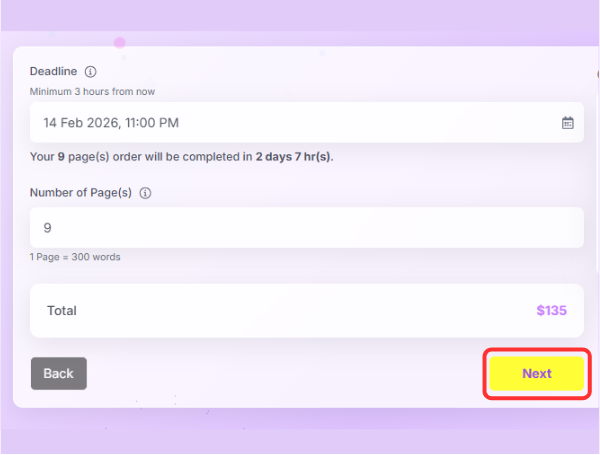
Deadline & Page Count
Choose your delivery deadline and enter the page count you need. Your total updates automatically, helping you see the cost clearly before moving ahead.
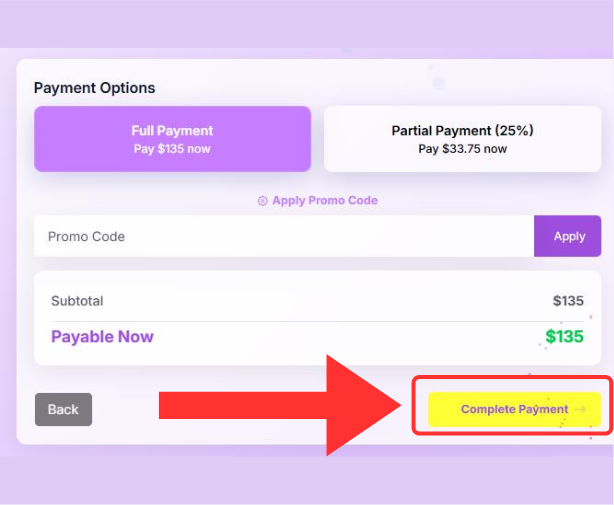
Checkout
This is where your order timeline takes shape. Select full payment or begin with a partial payment—whichever suits you. As soon as the payment is completed, your order is confirmed and work starts right away.
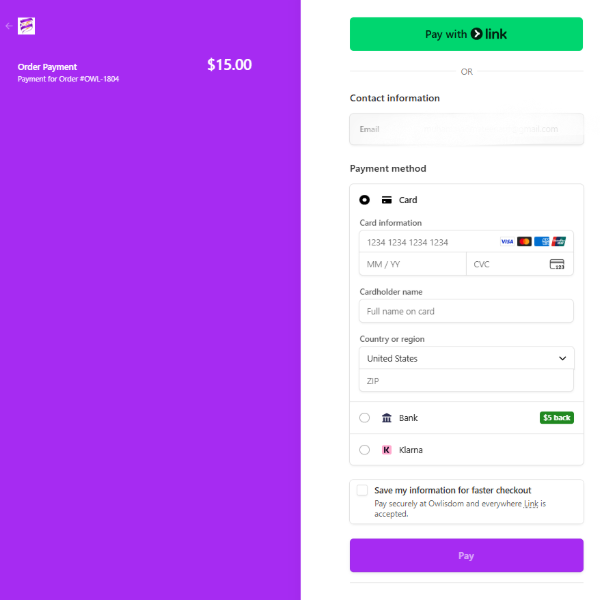
Easy & Secure Checkout
Pay easily through Stripe with full encryption and secure processing. Your payment is protected end-to-end, giving you a smooth and safe checkout experience.
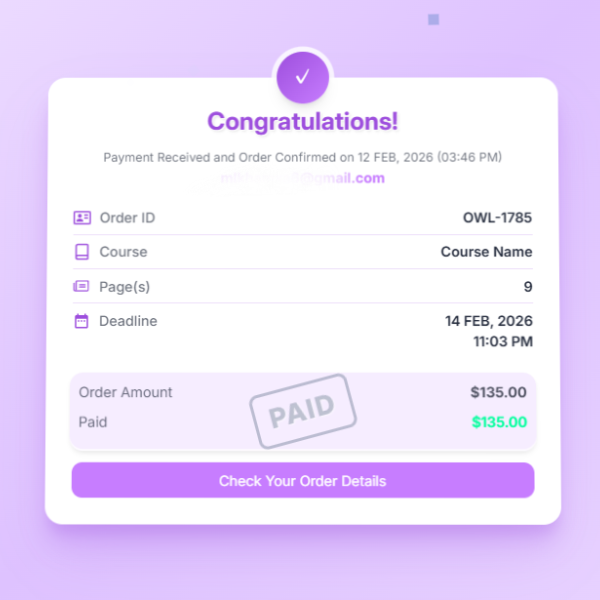
Order Confirmed
Your order is now confirmed. A suitable subject expert will be assigned, and your work will begin right away. Sit back and relax while we take care of the rest.
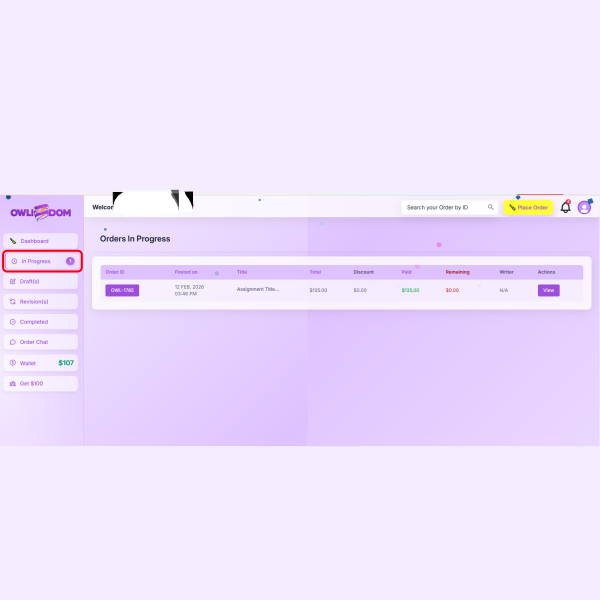
Track Your In-Progress Order
Follow your order through every stage—from Assigned to Delivered. Everything is updated in real time so you always know what’s next.
-
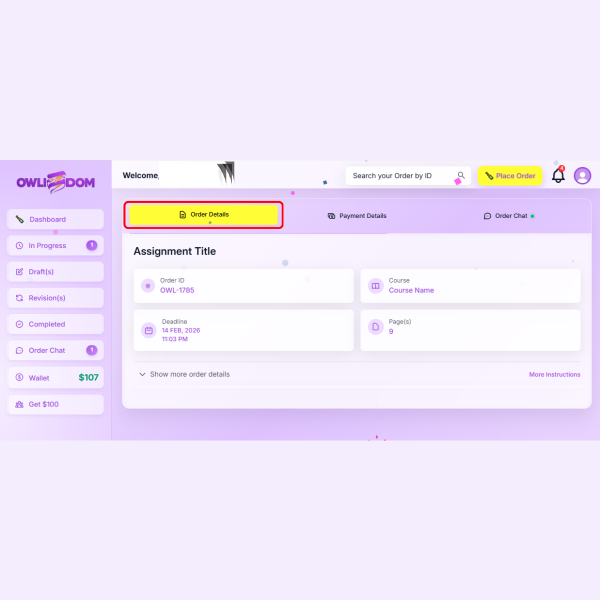
Order Details
Everything you need to know about your order — title, course, pages, deadline, and any instructions you’ve added.
-
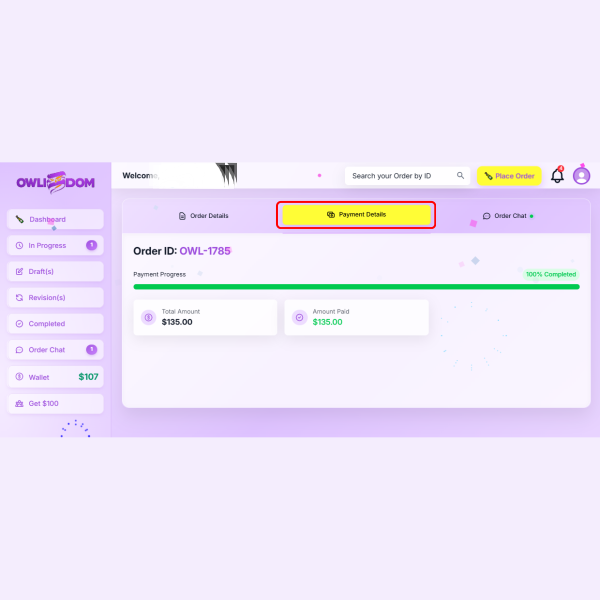
Payment Details
View your full payment information in one place. If you have a remaining balance, you can clear it securely from here.
-
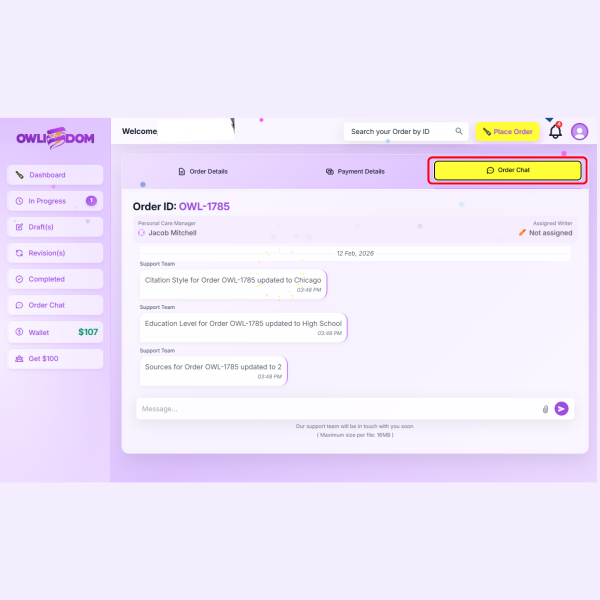
Chat With Your Writer & PCM
Stay connected through real-time chat. Ask questions, clarify instructions, or get updates directly from your writer and your Personal Care Manager.
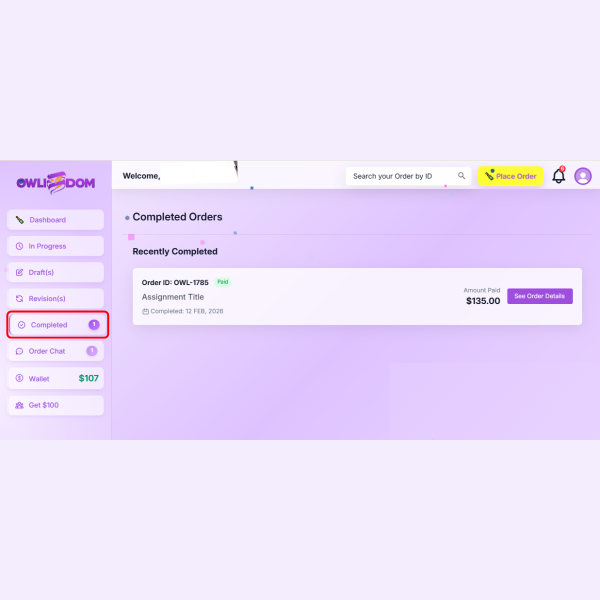
Track Your Completed Orders
View all your completed orders in one place and easily access detailed information for each order.
-
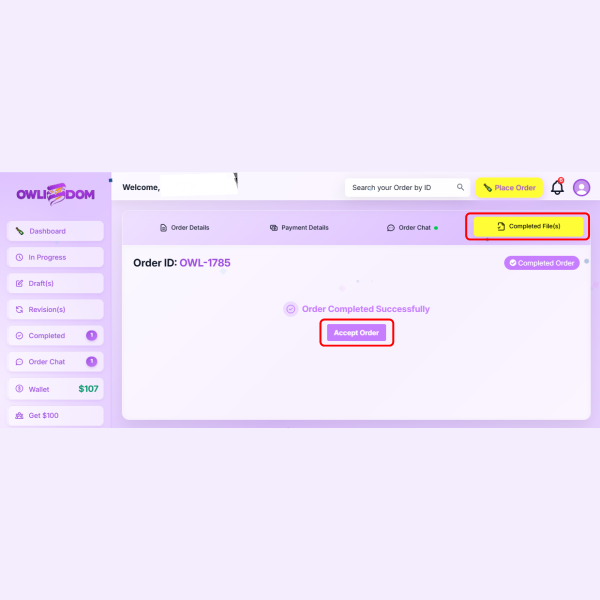
Accept Order
Your order has been completed successfully. Click Accept Order to receive your completed files and confirm delivery.
-
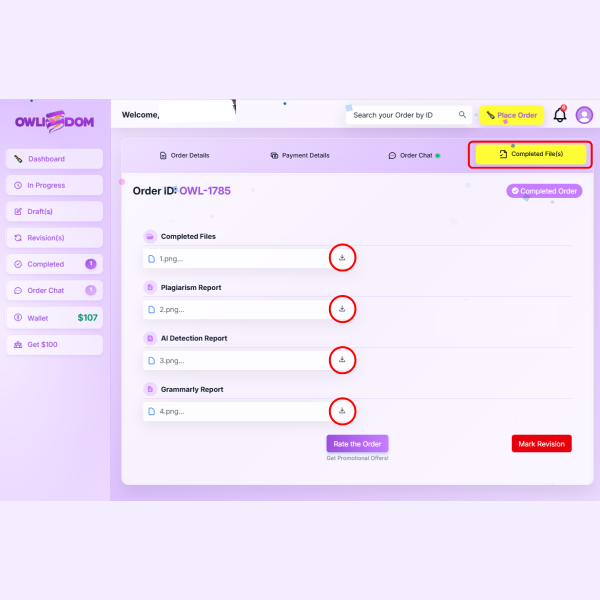
Completed Files
Your completed order is shown here. You can download your final files and reports directly from this section.
-
Secure File Delivery
Download your completed files in your preferred format. All files are securely stored in your dashboard.
Revisions at No Extra Cost
Need changes? Our revision process is simple and completely free. Share your feedback, and we’ll update the work until you’re fully satisfied.
-
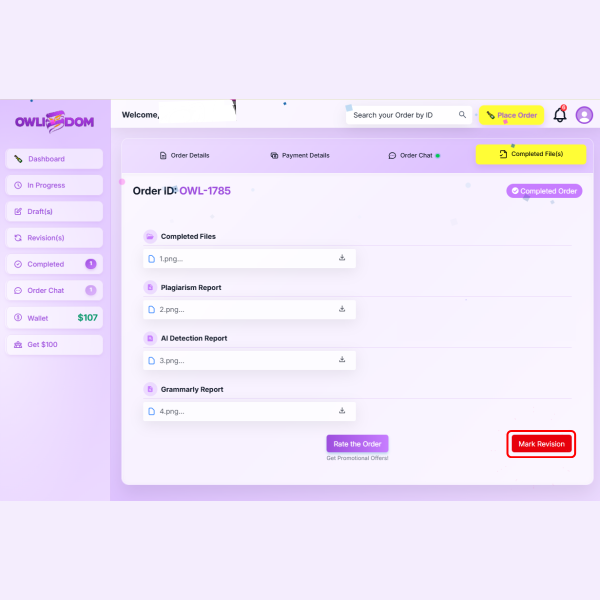
Request a Revision
If you need any changes, simply click Mark Revision to submit your revision request and share your feedback.
-
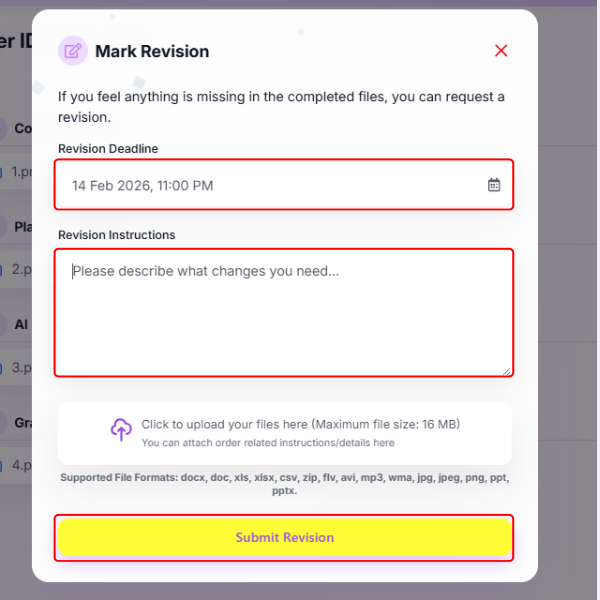
Provide Revision Details
If you need any changes, simply click Mark Revision to submit your revision request and share your feedback.
-
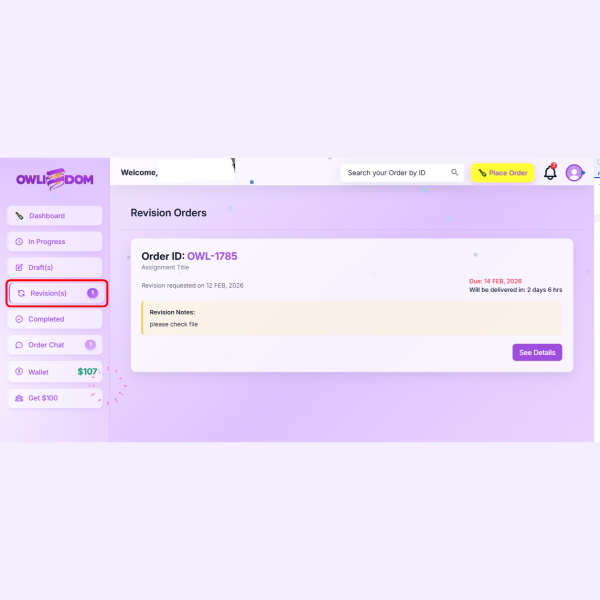
Track Your Revision Progress
View your order revisions here and track the remaining time until your revised work is delivered.
Ready to get started?
Start your order in minutes and keep your deadlines stress-free with our expert support.